
 Quick Answer
 Quick Answer
Is This Article for You?
This isn’t a beginner’s guide to HighLevel.
If you’ve only just opened your first account or you’re learning how to build your first workflow, I’d recommend becoming familiar with the fundamentals before tackling the concepts in this guide.
This article is aimed at people who want to take HighLevel to the next level by creating scalable, repeatable systems that can be deployed again and again.
| Did you find this content useful? |
|---|
| Sign up for my free Marketing Hints, Tips and Hacks email newsletter every Tuesday at 11am. => Sign up here <= |
You might be:
- A marketing agency building the same solution for multiple clients.
- A consultant creating an industry-specific CRM for accountants, dentists or estate agents.
- A SaaS entrepreneur using HighLevel’s white-label platform to launch your own software business.
- A franchise organisation looking to deploy a standardised CRM across hundreds of franchisees.
- An experienced HighLevel user who has realised that every new client shouldn’t require reinventing the wheel.
If that sounds like you, you’re in the right place.
There Are Two Types of HighLevel Users
Over the years, I’ve noticed there are two very different ways people approach HighLevel.
The first group sees HighLevel as a CRM.
They create pipelines.
They build workflows.
They send emails.
They book appointments.
There’s absolutely nothing wrong with this. In fact, it’s exactly how most businesses should use HighLevel.
The second group sees HighLevel as a software development platform.
Instead of asking:
“How do I build this workflow?”
They ask:
“How do I build this once so hundreds of businesses can use it?”
That subtle change in thinking changes everything.
Instead of building automations, you’re building products.
Instead of configuring software, you’re engineering a platform.
That’s the mindset this article is all about.
Why This Matters More Than Ever
HighLevel has evolved into something far bigger than a CRM.
Today it can power:
- Marketing agencies
- White-label SaaS businesses
- Franchise organisations
- Membership businesses
- Training companies
- Estate agencies
- Dentists
- Trades businesses
- Financial advisers
- Multi-location businesses
HighLevel continues to add new features such as AI Employees, Voice AI, WhatsApp automation, Documents and Contracts, Communities, Memberships and much more.
The challenge is no longer building a CRM.
The challenge is designing one that can continue growing without becoming difficult to maintain.
What Exactly Is a HighLevel Snapshot?
A HighLevel Snapshot is one of the platform’s most powerful features.
Think of it as a blueprint.
Rather than creating a CRM from scratch every time you onboard a new client, you build it once and save everything into a reusable package.
A snapshot can include assets such as:
- Pipelines
- Workflows
- Email templates
- SMS templates
- Forms
- Surveys
- Calendars
- Websites
- Funnels
- Blogs
- Custom fields
- Custom values
- Documents
- Communities
- Opportunities
- Automation triggers
- AI assets
- Much more
Once your snapshot is complete, it can be installed into another HighLevel account in minutes.
That means you don’t just build a CRM.
You build a repeatable business system.
A Real-World Example
Let’s imagine you’re working with dentists.
You spend three months creating the perfect patient acquisition system.
It includes:
- New patient enquiries
- Appointment booking
- Missed appointment reminders
- Google Review requests
- AI review replies
- Treatment follow-up campaigns
- Membership plans
- Recall reminders
- Internal staff notifications
- KPI dashboards
Once perfected, every new dental practice can start with exactly the same proven system.
Now imagine instead of ten dental practices, you’re onboarding one hundred.
Or one thousand.
Without snapshots, that becomes extremely difficult.
With snapshots, it is entirely achievable.
The challenge is making sure the snapshot has been designed properly from the beginning.
Why Most HighLevel Snapshots Don’t Scale
Here’s something I’ve learnt after working with agencies and businesses across the UK.
Most snapshots work brilliantly, until they don’t.
Typically, they begin life with one client in mind.
A workflow is added here.
An email template is copied there.
A few custom fields are created.
Then another client asks for something slightly different.
So another workflow is copied.
Another email is duplicated.
Another custom field appears.
Fast forward eighteen months and the snapshot has become almost impossible to understand.
I’ve seen snapshots containing:
- Hundreds of workflows
- Duplicate automations
- Multiple versions of the same email
- Broken links
- Old branding
- Hard-coded phone numbers
- Test assets that were never deleted
- Naming conventions that make no sense
The snapshot still works.
But nobody enjoys maintaining it.
Think Like a Software Architect
This is probably the biggest mindset shift I can share.
When I build a HighLevel Snapshot, I don’t think of myself as building a CRM.
I think of myself as building software.
Software developers don’t just ask:
“Does it work today?”
They ask:
- Will this still work next year?
- Can another developer understand it?
- Can we add new features?
- Can we update it safely?
- Will changing one component break something else?
- Can this be reused?
Those are exactly the same questions we should be asking when designing HighLevel systems.
Because that’s what they are.
They’re software.
No coding required.
A Franchise Example
Imagine a home cleaning franchise with 300 franchisees across the UK.
Every franchisee needs:
- Their own contacts
- Their own opportunities
- Their own calendar
- Their own staff
- Their own review requests
- Their own invoices
- Their own AI receptionist
- Their own website
- Their own phone number
But they all follow exactly the same business processes.
This is where HighLevel shines.
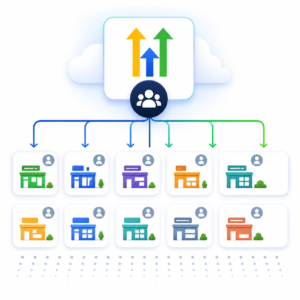
Instead of building 300 independent CRMs, you build one well-designed snapshot.
Every franchisee starts with the same proven business system.
Need to improve the review request process?
Improve the core system and include the change in future deployments.
Need to add WhatsApp automation?
Add it to the architecture.
Need to introduce AI Voice?
Build it once.
The value of your snapshot grows with every improvement.
That’s why I often describe a HighLevel Snapshot as a Marketing System in a Box rather than simply a CRM template.
Introducing the HighLevel Snapshot Architecture Framework
Over the years, I’ve developed a set of principles that I follow whenever I’m designing a scalable HighLevel system.
I call it the HighLevel Snapshot Architecture Framework.
Rather than thinking about individual features, it focuses on creating business systems that remain easy to understand, maintain and expand as your business grows.
The framework consists of ten principles:
- Design the business before you build the CRM.
- Build everything to be modular.
- Develop naming standards from day one.
- Make Custom Values your best friend.
- Design for future expansion.
- Eliminate duplicate logic.
- Document everything.
- Test like a software company.
- Design for franchises and multi-location businesses.
- Think in versions, not projects.
In this first part, we’ll cover the principles that form the foundation of every scalable HighLevel Snapshot.
Principle 1. Design the Business Before You Build the CRM
One of the biggest mistakes I see is people opening HighLevel and immediately starting to build.
That’s like asking a builder to start laying bricks before an architect has drawn the plans.
The most successful HighLevel implementations always begin away from the software.
Before I create a single workflow, I map out:
- The customer journey from first enquiry to loyal customer.
- Every key touchpoint where automation can add value.
- The sales pipeline and opportunity stages.
- Staff roles and responsibilities.
- Internal notifications.
- Required reports and KPIs.
- Communication channels such as email, SMS, WhatsApp and phone.
- Third-party integrations.
- Future features that may be added over the next 12 to 24 months.
Only once that blueprint is complete do I start building inside HighLevel.
This approach reduces rework, improves consistency and creates a much stronger foundation for everything that follows.
What Does This Planning Look Like in Practice?
Let’s take the example of a dental practice.
A basic HighLevel user might begin by creating a new patient enquiry workflow.
A snapshot architect starts by mapping the entire patient journey.
For example:
- A potential patient submits an enquiry.
- The enquiry is added to the New Patient Pipeline.
- The reception team is notified.
- The patient receives an immediate email, SMS or WhatsApp response.
- The patient is invited to book a consultation.
- Appointment reminders are sent.
- Missed appointments enter a rebooking campaign.
- Attended appointments move into a treatment follow-up process.
- Completed treatments trigger a review request.
- Patients enter a long-term recall or nurture campaign.
The workflow is not the starting point.
The customer journey is the starting point.
Once the journey is understood, the workflows become much easier to design.
Build the Map Before the Automation
Before building, I recommend creating a simple system map.
This does not need to be a complicated technical diagram.
It can be a spreadsheet, flowchart or whiteboard showing:
- Where leads come from
- What information is captured
- Which pipeline they enter
- Who is responsible for them
- What communication is sent
- What happens if they respond
- What happens if they do not respond
- What moves them to the next stage
- What happens after they become a customer
This planning becomes even more important when the snapshot will be installed into hundreds of accounts.
A small design mistake repeated once is inconvenient.
A small design mistake repeated 300 times becomes expensive.
Design for the Typical Client, Not Every Possible Client
There is another challenge when designing a reusable HighLevel Snapshot.
You need to avoid trying to solve every possible scenario.
A snapshot that tries to accommodate every type of business can quickly become bloated, confusing and difficult to implement.
The better approach is to design around the typical client or franchisee.
For example, your standard cleaning franchise snapshot might assume that every franchisee has:
- One main service area
- One primary phone number
- One booking calendar
- One sales pipeline
- A standard review request process
- A standard quotation follow-up process
Exceptional requirements can be handled as optional modules rather than being forced into the core snapshot.
Part 2: Turning the Map into a Scalable HighLevel System
We also covered the first principle of the HighLevel Snapshot Architecture Framework:
Design the business before you build the CRM.
Before opening HighLevel and creating workflows, you need to understand the business process you are attempting to automate.
You need to map:
- How leads enter the business.
- How they are followed up.
- How opportunities move through the sales pipeline.
- Which actions are completed by staff.
- Which actions can be automated.
- What happens when a prospect responds.
- What happens when they do not respond.
- What happens when an opportunity is won or lost.
- How customers are onboarded, retained and encouraged to buy again.
Once that business process has been agreed, it should be turned into a visual flow diagram.
This becomes the architect’s blueprint for the entire HighLevel Snapshot.
The blueprint then allows you to divide the complete system into smaller, modular components.
Once those modules have been identified, the number-based coding system gives each component a clear and logical place inside HighLevel.
The three principles work together:
- The architect’s blueprint shows the complete system.
- Modularity divides that system into manageable components.
- The coding system connects the blueprint to the actual assets inside HighLevel.
This is the organisational foundation of a scalable HighLevel Snapshot.
Principle 2: Create the Architect’s Blueprint Before You Build
A complex HighLevel Snapshot should never begin with someone opening the workflow builder and immediately adding actions.
Before building anything, map the entire process using flow diagram software.
This flow diagram becomes the architect’s blueprint for the Snapshot.
Just as an architect would not expect a construction team to build a complex property without detailed plans, you should not build a substantial CRM and automation system without first mapping how it is intended to work.
The architect’s blueprint provides the high-level view that is often difficult to see once you are working inside individual workflows.
What Should the Architect’s Blueprint Show?
The diagram should show:
- Where leads and customers enter the system.
- Which forms, surveys, calendars or integrations capture their details.
- Which pipeline and stage they enter.
- Which workflows are triggered.
- Which emails, text messages and WhatsApp messages are sent.
- Which staff members are notified.
- Which tasks are created.
- Which decisions or If/Else branches take place.
- What happens when a contact responds.
- What happens when a contact does not respond.
- How opportunities move through the pipeline.
- What happens when an opportunity is won.
- What happens when an opportunity is lost.
- Which other campaigns or modules the contact enters.
This allows you to review the complete process before building the individual components.
It is much easier to identify a missing step, duplicated process or potential conflict on a flow diagram than after dozens of workflows have already been built.
Example: Mapping a Sales Pipeline
A simplified sales process might look like this:
1. Sales Pipeline

1.1 New Lead Stage
    ↓
New enquiry received
    ↓
Create contact and opportunity
    ↓
Send welcome email and text
    ↓
Notify salesperson
    ↓
Create follow-up task
    ↓
1.2 Working Stage
    ↓
Follow-up and qualification
    ↓
1.3 Proposal Sent Stage
    ↓
Proposal follow-up
    ↓
1.4 Won or 1.5 Lost Stage
The full diagram would also show:
- Alternative routes.
- Delays.
- Decision points.
- Staff responsibilities.
- Appointment bookings.
- No-response follow-up.
- Connected onboarding campaigns.
- Lost opportunity nurture.
- Review and referral campaigns.
This blueprint gives you a complete view of how the business process should work before you start translating it into HighLevel assets.
The Blueprint Becomes the Basis of the Modular Build
Once the complete process is visible, you can begin dividing it into separate modules.
For example, the sales pipeline blueprint may reveal that you need individual modules for:
- New lead capture.
- Lead assignment.
- Immediate lead response.
- Salesperson notification.
- Appointment booking.
- Appointment reminders.
- Proposal follow-up.
- Won opportunity handover.
- Lost opportunity nurture.
- Customer onboarding.
Without the blueprint, these processes may become mixed together inside one enormous workflow.
With the blueprint, you can see the natural boundaries between them.
This is why the architect’s blueprint and modularity are so closely connected.
The blueprint shows the complete building.
Modularity identifies the individual rooms, services and components that make the building work.
The Blueprint Should Remain a Live Document
The architect’s blueprint should not be created at the beginning and then forgotten.
It should remain a live document that evolves alongside the Snapshot.
Whenever you:
- Add a workflow.
- Change a trigger.
- Introduce a new branch.
- Add WhatsApp.
- Introduce Voice AI.
- Change a pipeline stage.
- Add a booking calendar.
- Replace an integration.
- Introduce a new module.
The architect’s blueprint should also be updated.
This ensures the diagram continues to represent the system that is actually operating.
Use the Blueprint for Staff Training
The architect’s blueprint is one of the best tools for explaining a complex HighLevel system to staff.
Rather than asking a new team member to open multiple workflows and work out how everything connects, you can walk them through the complete customer journey visually.
The blueprint helps staff understand:
- What they are responsible for.
- What HighLevel is doing automatically.
- When tasks will be created.
- When prospects will receive messages.
- What moving an opportunity to a new stage will trigger.
- What happens after an opportunity is won or lost.
This is particularly useful in larger companies and franchises where several people may interact with the same process.
It can also prevent staff manually carrying out tasks that are already automated.
Use the Blueprint for Troubleshooting
When something goes wrong, the architect’s blueprint gives you a logical starting point.
Imagine a prospect receives the wrong proposal reminder.
The diagram can help you identify:
- How the prospect entered the process.
- Which pipeline stage they were in.
- Which workflow should have been triggered.
- Which conditions were evaluated.
- Which message should have been sent.
- Which connected workflows may also have affected the contact.
You can follow the route through the blueprint before opening the individual assets inside HighLevel.
Once the coding system has also been applied, the process becomes even easier.
The blueprint tells you which part of the system caused the problem.
The code tells you where to find it.
Use the Blueprint When Adding New Features
The blueprint is also invaluable when expanding the Snapshot.
Suppose you want to add WhatsApp follow-up to the New Lead stage.
The diagram allows you to decide:
- Where the WhatsApp message should sit.
- Whether it should replace or support SMS.
- Which contacts should receive it.
- What should happen when someone replies.
- Which existing workflows might be affected.
- Whether a new module is required.
The same process applies when adding:
- Voice AI.
- Conversation AI.
- Review automation.
- Referral campaigns.
- New calendars.
- New pipeline stages.
- Customer onboarding.
- Additional franchise services.
- Third-party integrations.
Without a current blueprint, new features tend to be bolted onto whichever workflow appears convenient.
Over time, this creates duplicated logic, conflicts and an increasingly fragile system.
Flow Diagram Software I Recommend
Two particularly useful options are Lucidchart and Draw.io.
Lucidchart
Lucidchart is particularly useful when you are working with multiple clients, franchises or different versions of the same system.
It allows you to organise and collaborate on multiple diagrams within one platform.
You might maintain:
- A master Snapshot blueprint.
- Individual client versions.
- Franchise-specific variations.
- Separate campaign diagrams.
- Diagrams for different Snapshot releases.
- Shared documentation for implementation teams.
It is a strong option when flow diagramming becomes a regular part of your delivery process.
Draw.io
Draw.io, also known as diagrams.net, is a free flow diagram tool.
It can store each diagram as a separate file in Google Drive.
This is useful when each client or Snapshot has its own Google Drive folder.
That folder might contain:
- The architect’s blueprint.
- Installation checklist.
- Custom Value information.
- Integration details.
- Testing records.
- Version notes.
- Training documentation.
Draw.io is a practical option when you want a free tool or prefer to manage each flow diagram as a separate file.
Julian Mills’ View
The first version of a complex Snapshot should exist as a flow diagram before it exists inside HighLevel. I often say to clients that we do the hard work on the “virtual piece of paper” and the the building in HighLevel becomes the easy part.
The architect’s blueprint allows you to see the complete system.
Only when the full process is visible can you make sensible decisions about how it should be divided into workflows, folders, modules and other assets.
Principle 3: Build Everything to Be Modular
Once the architect’s blueprint has been created, the next step is to divide the complete process into smaller modules.
A module is a component that performs one clear function.
For example:
- Respond to a new lead.
- Notify a salesperson.
- Create an opportunity.
- Send appointment reminders.
- Follow up a proposal.
- Request a review.
- Reactivate an old customer.
- Handle a missed call.
- Start customer onboarding.
Each module should have a clearly defined purpose.
This is very different from building one enormous workflow that attempts to manage the entire customer journey from the first enquiry to repeat purchase.
Large workflows can appear efficient at first because everything is contained in one place.
However, they quickly become difficult to understand, test and maintain.
A small change near the top of a large workflow may affect contacts much further down.
Different members of the team may struggle to understand the logic.
Reusing one part of the process elsewhere becomes difficult.
A modular architecture turns the sections identified on the architect’s blueprint into smaller, connected workflows.
Example: Turning the Blueprint into Modules
The sales pipeline blueprint may show this journey:
New enquiry
    ↓
Immediate response
    ↓
Sales team notified
    ↓
Appointment booking
    ↓
Proposal
    ↓
Won or Lost
Rather than placing all of this inside one workflow, you might create separate modules for:
1.1.1 New Lead Follow-Up
1.1.2 New Lead Internal Notification
1.1.3 New Lead Assignment
1.2.1 Working Stage Follow-Up
1.3.1 Proposal Sent Follow-Up
1.4.1 Won Opportunity Handover
1.5.1 Lost Opportunity Nurture
The blueprint shows how these modules connect.
Each module performs one specific job.
Why Modularity Matters
A modular system is easier to:
- Understand.
- Build.
- Test.
- Troubleshoot.
- Document.
- Reuse.
- Update.
- Deploy across multiple accounts.
It also allows optional features to be introduced without rebuilding the core system.
For example, WhatsApp follow-up could be added as a separate module.
Voice AI could be added as a separate module.
A referral campaign could be added as a separate module.
This allows the Snapshot to expand without the original workflows becoming unmanageable.
Example: A Dental Practice
A single dental workflow might attempt to manage:
- A new patient enquiry.
- Reception notification.
- Appointment booking.
- Appointment reminders.
- Missed appointment follow-up.
- Treatment plan follow-up.
- Review requests.
- Patient recall reminders.
That workflow could quickly contain hundreds of actions, delays, conditions and branches.
A modular approach would create separate workflows such as:
- New patient enquiry response.
- Reception team notification.
- Consultation confirmation.
- Appointment reminders.
- Missed appointment follow-up.
- Treatment plan follow-up.
- Patient review request.
- Six-month patient recall.
Each workflow has one job.
Each workflow can be tested independently.
Each workflow can be improved without unnecessarily changing the others.
Why Modularity Matters for Franchises
Imagine a home cleaning franchise with 300 locations.
The core Snapshot might include modules for:
- New enquiries.
- Quotation follow-up.
- Booking reminders.
- Cleaner notifications.
- Customer feedback.
- Google Review requests.
- Referral campaigns.
- Lapsed customer reactivation.
Some franchisees may use all of these modules.
Others may initially use only the lead, quotation and booking modules.
A modular system allows features to be introduced in stages.
It also gives the franchise group or agency the opportunity to offer additional modules as upgrades.
Principle 4: Develop a Number-Based Coding System from Day One
Once the architect’s blueprint has been divided into modules, the number-based coding system makes complete sense.
The blueprint shows the entire customer journey.
The modules identify the separate components.
The code gives each component a clear address inside HighLevel.
When a Snapshot contains only a few workflows, forms and email templates, it is usually easy to find what you need.
Once the system grows to include dozens of campaigns, hundreds of workflows and large numbers of emails, forms, surveys, trigger links, Custom Values and other assets, poor naming quickly becomes a problem.
You need a structure that makes it easy to see:
- Which campaign an asset belongs to.
- Which part of the customer journey it supports.
- Which workflow it is connected to.
- Which email, text message or action comes next.
- Where the related assets are stored.
For scalable HighLevel systems, I use a number-based coding structure.
The same code follows the campaign through the different areas of HighLevel.
Start by Coding the Main Campaign
At the top level, each major business system is given a number.
For example:
1. Sales PipelineThis becomes the identifying code for the entire sales campaign.
Everything connected to the sales pipeline begins with the number 1.
Other major systems could then be numbered separately:
1. Sales Pipeline
2. Customer Onboarding
3. Appointment Management
4. Review Requests
5. Customer Reactivation
6. Referral Campaign
The exact numbering will depend on the business.
What matters is that each major system has its own clear code.
Create a Matching Workflow Folder
Inside the HighLevel workflow area, I would create a main folder called:
1. Sales PipelineWithin this folder, I would create subfolders based on the stages of the sales pipeline:
1.1 New Lead Stage
1.2 Working
1.3 Proposal Sent
1.4 Won
1.5 Lost
This immediately shows where each workflow belongs within the overall customer journey.
Rather than searching through one long list of workflows, you can go directly to the relevant pipeline stage.
Code the Individual Workflows
The workflows inside each subfolder continue the same numbering structure.
For example, inside 1.1 New Lead Stage, you might have:
1.1.1 New Lead Follow-Up
1.1.2 New Lead Internal Notification
1.1.3 New Lead Assignment
1.1.4 No Response Follow-Up
Inside 1.3 Proposal Sent, you might have:
1.3.1 Proposal Sent Follow-Up
1.3.2 Proposal Reminder
1.3.3 Proposal Viewed Notification
1.3.4 Proposal Expired Follow-Up
The workflow number tells you exactly where it sits within the wider system.
For example, 1.3.2 Proposal Reminder means:
1represents the Sales Pipeline.3represents the Proposal Sent stage.2represents the second workflow within that stage.
Code the Important Actions Inside Each Workflow
The coding structure should also continue inside the workflow.
The most important actions to name clearly are usually:
- Emails.
- SMS messages.
- WhatsApp messages.
- Internal notifications.
- Tasks.
- Webhooks.
- Opportunity actions.
- Important data updates.
For example, the workflow 1.1.1 New Lead Follow-Up might contain:
1.1.1.1 Welcome Email
1.1.1.2 Welcome Text
1.1.1.3 Notify Sales Team
1.1.1.4 Create Follow-Up Task
1.1.1.5 Add to Nurture Sequence
When you see 1.1.1.2 Welcome Text, you immediately know that it belongs to:
- Campaign 1: Sales Pipeline.
- Stage 1: New Lead.
- Workflow 1: New Lead Follow-Up.
- Action 2: Welcome Text.
Use the Same Coding Across Email Templates
The same campaign code should continue into the email template area.
I would create an email template folder called:
1. Sales Pipeline EmailsWithin that folder, the email templates could be named:
1.1.1.1 Welcome Email
1.1.4.1 Still Interested Email
1.2.2.1 Working Stage Follow-Up
1.3.1.1 Proposal Sent Email
1.3.2.1 Proposal Reminder Email
1.4.1.1 New Customer Congratulations Email
1.5.1.1 Lost Opportunity Nurture Email
The email template name matches the workflow action using it.
There is no need to guess which email belongs to which workflow.
Apply the Same Structure to Forms
Any forms used by the campaign should also begin with the same campaign code.
Create a folder called:
1. Sales Pipeline FormsThe forms might include:
1.1.1 New Lead Enquiry Form
1.2.1 Sales Qualification Form
1.3.1 Proposal Acceptance Form
1.5.1 Lost Opportunity Feedback Form
Continue the Coding Throughout HighLevel
The same logic should be used wherever possible:
1. Sales Pipeline Emails
1. Sales Pipeline Forms
1. Sales Pipeline Surveys
1. Sales Pipeline Trigger Links
1. Sales Pipeline Custom Values
1. Sales Pipeline Documents
1. Sales Pipeline Funnels
1. Sales Pipeline Calendars
The precise structure may vary depending on the asset and what HighLevel allows you to organise into folders.
The principle stays the same:
- Everything connected to Campaign 1 begins with
1. - Everything connected to the New Lead stage begins with
1.1. - Everything connected to the New Lead Follow-Up workflow begins with
1.1.1.
Why This Coding System Works
Related Assets Are Easier to Find
Searching for 1.1.1 can reveal the workflow, email template and related assets connected to the same process.
The Customer Journey Is Visible
The numbers show the order of the stages and workflows.
Troubleshooting Becomes Faster
When someone reports a problem with 1.3.2.1 Proposal Reminder Email, the implementation team knows exactly where to look.
New Team Members Can Understand the System
The structure itself explains how the account has been organised.
Future Assets Have a Clear Home
When a new workflow, form or email is created, it is easier to decide where it belongs and how it should be named.
The Snapshot Becomes Easier to Scale
The same system can be repeated across hundreds of accounts without each implementation team inventing its own naming structure.
Julian Mills’ View
The purpose of a coding system is not simply to make the account look tidy.
It is to make the system easier to build, use, troubleshoot, document and improve.
A well-structured number system turns hundreds of individual HighLevel assets into one understandable business platform.
Principle 5: Make Custom Values Your Best Friend
Hard-coded information is one of the biggest barriers to scalable Snapshot deployment.
A hard-coded value is information typed directly into an email, workflow, funnel or template.
For example:
- A business name.
- A phone number.
- An email address.
- A booking link.
- A price.
- A logo.
- A website URL.
- A staff member’s name.
- A social media profile.
- A physical address.
This may be acceptable in a one-off HighLevel account.
It becomes a serious problem when the Snapshot will be installed into dozens or hundreds of accounts.
A Poorly Scalable Example
Imagine a cleaning franchise email containing:
Thank you for contacting Bright & Clean Manchester. Call us on 0161 000 0000 or book your survey at brightandclean.co.uk/manchester-booking.
If that information exists in 40 templates and 20 workflows, each new franchisee requires dozens of manual edits.
It only takes one missed edit for a Birmingham customer to receive Manchester contact details.
A Better Approach
Replace the business-specific information with Custom Values:
https://images.leadconnectorhq.com/image/f_webp/q_80/r_1200/u_https://assets.cdn.filesafe.space/VRoL61OWUDQvfRiROZZa/media/651d39a1b3b58d9b1c17fd2b.pngThe email can then say:
Thank you for contacting . Call us on or book your survey here: .
The same email template can now be used by every franchisee.
During onboarding, the implementation team only needs to complete the Custom Values.
Treat Custom Values Like a Configuration Panel
A scalable Snapshot should have a central collection of values that control the account.
Business Details
- Business name.
- Trading name.
- Main telephone number.
- Support email.
- Website.
- Address.
- Company registration number.
- VAT number.
Branding
- Main logo.
- Secondary logo.
- Primary brand colour.
- Secondary brand colour.
- Email footer.
- Strapline.
Staff
- Consultant name.
- Salesperson name.
- Support contact.
- Escalation contact.
- Manager email.
Links
- Main booking calendar.
- Review link.
- Payment link.
- Customer portal.
- Facebook page.
- LinkedIn page.
- Privacy policy.
- Terms and conditions.
Commercial Information
- Standard pricing.
- Deposit amount.
- Cancellation fee.
- Guarantee wording.
- Offer expiry period.
The more configuration you can centralise, the easier it becomes to deploy and maintain the Snapshot.
Principle 6: Design for Future Expansion
HighLevel changes quickly.
Features that did not exist when your original Snapshot was created may become essential later.
Examples include:
- WhatsApp messaging.
- Voice AI.
- Conversation AI.
- Documents and Contracts.
- Communities.
- Courses.
- Affiliate management.
- Additional payment options.
- New calendar types.
- New workflow actions.
- New reporting tools.
A scalable Snapshot needs space to grow.
This does not mean building every possible feature from the beginning.
It means avoiding design decisions that make future additions unnecessarily difficult.
Example: Adding WhatsApp Later
Imagine your original lead nurture process only uses email and SMS.
If all the logic is contained inside one huge workflow, adding WhatsApp may require editing dozens of branches and delays.
A modular system could separate the communication channels:
1.1.1 New Enquiry Entry
1.1.2 Email Nurture
1.1.3 SMS Nurture
1.1.4 WhatsApp Nurture
WhatsApp can then be added without rebuilding the entire lead management system.
Plan for Optional Modules
Core Module
- Contact management.
- Sales pipeline.
- Basic email follow-up.
- Appointment booking.
- Internal notifications.
Growth Module
- Review requests.
- Referral campaigns.
- Reactivation.
- Lead nurture.
- Advanced reporting.
AI Module
- AI receptionist.
- Conversation AI.
- AI review replies.
- Lead qualification.
- AI-generated internal summaries.
This approach allows the system to evolve without forcing every client to adopt every feature immediately.
Principle 7: Eliminate Duplicate Logic
Duplicate logic occurs when several workflows perform the same task.
For example, five different lead workflows might all contain the same internal notification actions.
Ten booking workflows might all contain the same reminder sequence.
At first, copying the actions may seem faster.
The problem appears when something needs to change.
If a notification is contained in one shared workflow, it is updated once.
If it has been copied into 25 workflows, all 25 must be found and updated.
Create Shared Utility Workflows
A utility workflow performs a common task that can be used by other parts of the system.
Examples include:
- Send a new lead notification.
- Assign a lead owner.
- Create a standard opportunity.
- Add the lead source.
- Format contact data.
- Send appointment reminders.
- Notify a manager of a failure.
- Remove a contact from nurture.
- Start the review request process.
Example: Review Requests
A dental Snapshot may trigger review requests after:
- A hygiene appointment.
- A completed treatment.
- A new patient consultation.
- A membership sign-up.
- A successful emergency appointment.
A poor structure creates five separate review request sequences.
A better structure uses five entry points that all feed into one review request workflow.
If the review wording changes, it is updated once.
Principle 8: Document Everything
The architect’s blueprint is the central visual document, but it should be supported by practical documentation.
A Snapshot should not rely on one person remembering how it works.
People leave. Agencies grow. Franchise support teams change. Consultants take holidays.
Documentation protects the value of the system.
What Should Be Documented?
- The purpose of the Snapshot.
- The intended type of client.
- The architect’s blueprint.
- Required setup steps.
- Required Custom Values.
- Required Custom Fields.
- The number-based coding system.
- Pipeline structure.
- Calendar configuration.
- User permissions.
- Third-party integrations.
- Phone and email configuration.
- Dependencies between workflows.
- Optional modules.
- Known limitations.
- Testing procedures.
- Version history.
- Changes made in each release.
Include an Installation Checklist
- Install the Snapshot.
- Add users.
- Connect the sending domain.
- Connect personal email accounts.
- Purchase or connect a phone number.
- Complete Custom Values.
- Configure calendars.
- Check workflow senders.
- Connect the payment provider.
- Test forms.
- Test the booking journey.
- Test internal notifications.
- Test review links.
- Activate approved workflows.
- Record the installed version.
Include a Dependency Map
Some workflows depend on other assets.
- A form may trigger a workflow.
- The workflow may create an opportunity.
- The opportunity may rely on a specific pipeline.
- The workflow may assign a user.
- An email may contain a Custom Value.
- A payment link may rely on a connected product.
- A calendar may require specific users or teams.
The architect’s blueprint should show the wider process.
The dependency documentation should record the specific assets and settings needed for that process to work.
Principle 9: Test Like a Software Company
A workflow working once does not mean the system has been properly tested.
Scalable Snapshots need systematic testing.
The goal is not simply to prove that the ideal customer journey works.
You also need to test what happens when information is missing, duplicated or unexpected.
What Should Be Tested?
- A brand-new contact.
- An existing contact.
- A contact with a missing email address.
- A contact with a missing phone number.
- A duplicate form submission.
- A booking.
- A cancellation.
- A reschedule.
- A no-show.
- A failed payment.
- A successful payment.
- A contact replying to an email.
- A contact replying by SMS.
- A contact opting out.
- A contact changing pipeline stage.
- A staff member being unavailable.
- An opportunity already existing.
- An integration failing.
- A Custom Value being blank.
Use the Blueprint During Testing
The architect’s blueprint can become the basis of the test plan.
The tester can follow each route through the diagram and check that HighLevel behaves as expected:
- Follow the New Lead route.
- Follow the no-response route.
- Follow the booked appointment route.
- Follow the cancelled appointment route.
- Follow the Proposal Sent route.
- Follow the Won route.
- Follow the Lost route.
Build a Test Account
Before deploying to hundreds of clients, use a dedicated test account containing:
- Test contacts.
- Test email addresses.
- Test phone numbers.
- Test products.
- Test bookings.
- Test pipelines.
- Test users.
New versions of the Snapshot should be installed and tested there before being used with client accounts.
Julian Mills’ View
When a Snapshot will be installed into hundreds of accounts, testing is not an optional final step.
It is part of the product.
A mistake in one account is a support issue.
A mistake copied into 300 accounts is a system failure.
Principle 10: Design for Franchises and Multi-Location Businesses
Franchises are one of the strongest use cases for HighLevel Snapshots.
They combine standardised processes with local delivery.
Head office wants consistency.
Franchisees want local control.
Customers want to deal with a local business.
What Should Be Standardised?
- Lead handling.
- Sales pipeline stages.
- Quotation follow-up.
- Appointment reminders.
- Review requests.
- Referral campaigns.
- Customer reactivation.
- Reporting definitions.
- Brand standards.
- Data capture.
- Customer service processes.
What Should Remain Local?
- Franchisee name.
- Territory.
- Staff members.
- Telephone number.
- Email address.
- Calendar availability.
- Local website.
- Review profile.
- Services offered.
- Prices.
- Local promotions.
These variations should ideally be handled through Custom Values, Custom Fields and configuration rather than rebuilding the workflows.
Example: A 300-Franchise Cleaning Company
Each franchisee could receive a HighLevel account containing:
- A website
- A website enquiry form.
- A sales pipeline.
- Quote follow-up.
- Booking confirmations.
- Appointment reminders.
- Customer feedback.
- Review requests.
- Referral campaigns.
- Reactivation campaigns.
- An AI receptionist.
- Local reporting.
The business process is standardised.
The local details are configured during onboarding.
This is not simply CRM setup.
It is the creation of a franchise technology platform.
Principle 11: Think in Versions, Not Projects
A one-off HighLevel build has a completion date.
A scalable Snapshot is never truly finished.
It evolves.
New features are added. Old processes are improved. Messages are rewritten. Integrations change. Bugs are fixed. Client feedback is incorporated.
A Simple Version Structure
- Version 1.0: Initial launch.
- Version 1.1: Minor improvements and bug fixes.
- Version 1.2: Updated appointment reminders.
- Version 2.0: New AI receptionist module.
- Version 2.1: WhatsApp follow-up added.
- Version 3.0: New franchise reporting architecture.
Every version should have release notes.
Example: Version 2.1
- Added WhatsApp to new lead follow-up.
- Updated the missed call workflow.
- Corrected the review request link.
- Added a manager escalation notification.
- Replaced the previous appointment reminder workflow.
- Added a new required Custom Value for the WhatsApp number.
- Updated the architect’s blueprint and staff training materials.
The Challenge of Updating Existing Accounts
Creating a new Snapshot version does not automatically mean every existing account will receive every update.
You need an update strategy.
Depending on the nature of the change, you might:
- Manually update existing accounts.
- Provide an add-on Snapshot.
- Create a new workflow that can be copied across.
- Use shared templates where appropriate.
- Train account owners to apply the change.
- Include the improvement only in future deployments.
- Offer managed updates as part of a support plan.
A modular system with a current architect’s blueprint is much easier to update than a collection of tightly connected, duplicated workflows.
Common HighLevel Snapshot Mistakes
Building Around the First Client
The first client’s requirements become embedded into every workflow and template.
Building Without a Blueprint
The builder starts creating workflows before the complete customer journey has been mapped.
Letting the Blueprint Become Outdated
A flow diagram is created during planning but is not updated when the system changes.
Hard-Coding Everything
Business names, phone numbers, links and staff details are typed directly into assets.
Creating Huge Workflows
One workflow attempts to manage the entire customer lifecycle.
Copying Instead of Reusing
The same notification, email sequence or data update is copied into multiple workflows.
No Consistent Coding Structure
The relationship between workflows, emails, forms and other assets becomes unclear.
No Supporting Documentation
The system depends on the memory of the original builder.
No Testing Process
The ideal journey is tested once while alternative routes and edge cases are ignored.
Building Too Much
The Snapshot attempts to solve every possible requirement and becomes bloated. The old adage still applies – keep things simple.
Failing to Plan for Updates
The Snapshot is treated as a completed project rather than a product that will evolve.
When Should You Work With a HighLevel Snapshot Architect?
You may need specialist help when:
- Your Snapshot will be deployed to many clients.
- You are building a HighLevel SaaS product.
- You are creating a system for a franchise network.
- Your current Snapshot has become difficult to maintain.
- You have large numbers of duplicated workflows.
- You do not have a clear visual blueprint of your system.
- You need to introduce a coding and documentation structure.
- You want to productise your industry knowledge.
- You need to add AI, WhatsApp or Voice AI without rebuilding everything.
- You are planning a complex multi-location system.
- Your implementation team needs a repeatable deployment process.
There is a major difference between knowing how to use HighLevel and knowing how to architect a scalable HighLevel platform.
A skilled HighLevel user can build a workflow.
A Snapshot Architect maps the business process and designs how the workflows, pipelines, data, templates, users and integrations fit together as one complete system.
Frequently Asked Questions
Can a HighLevel Snapshot scale to hundreds of clients?
Yes. A HighLevel Snapshot can support hundreds of client or franchise accounts when it is designed as a reusable and configurable system. Scalability depends on modular workflows, consistent coding, centralised Custom Values, clear documentation, systematic testing and a planned update process.
What makes a HighLevel Snapshot scalable?
A scalable Snapshot avoids hard-coded information, duplicated logic and oversized workflows. It uses reusable modules, a consistent number-based coding structure, Custom Values, a live architect’s blueprint, testing procedures and version control.
Should I map a HighLevel system before building it?
Yes. A complex HighLevel system should be mapped using flow diagram software before the main build begins. The diagram becomes the architect’s blueprint and helps identify missing steps, duplicated logic and dependencies.
What is a HighLevel architect’s blueprint?
A HighLevel architect’s blueprint is a live flow diagram showing how leads and customers move through forms, calendars, pipelines, workflows, messages, decisions and staff actions. It is used for planning, staff training, troubleshooting and future development.
Which flow diagram software can I use for HighLevel?
Lucidchart is useful for agencies and consultants managing diagrams for multiple clients. Draw.io, also known as diagrams.net, is a free option that can store individual flow diagrams as separate Google Drive files.
Should I create one large workflow or several smaller workflows?
In most cases, several smaller workflows are easier to test, maintain and reuse. Each workflow should perform one clear function and connect cleanly with the rest of the system.
How should I name HighLevel workflows?
I use a number-based coding structure that connects each workflow to its campaign, pipeline stage and related assets.
1. Sales Pipeline
1.1 New Lead Stage
1.1.1 New Lead Follow-Up
1.1.1.1 Welcome Email
1.1.1.2 Welcome Text
Can HighLevel Snapshots be used for franchises?
Yes. Franchises are one of the strongest uses for HighLevel Snapshots. A core system can standardise lead handling, sales, bookings, reviews and customer follow-up while allowing each franchisee to use local branding, staff, phone numbers and calendars.
Can I update a HighLevel Snapshot after installing it?
You can update the master Snapshot for future installations. Updating existing accounts requires a rollout strategy, such as manually applying changes, installing add-on assets or offering managed updates.
Can AI features be included in a HighLevel Snapshot?
Many AI-related assets and workflows can form part of a wider Snapshot system. However, some settings, integrations, phone numbers, knowledge bases and account-specific configurations may still need to be completed during onboarding.
Can I sell a HighLevel Snapshot?
Yes. Agencies and consultants often use Snapshots to create repeatable industry-specific systems, SaaS products or implementation packages. The value comes from the business process, architecture, support and continued improvement, not simply from copying a collection of assets.
What is a HighLevel Snapshot Architect?
A HighLevel Snapshot Architect plans and structures reusable HighLevel systems. The role includes process mapping, modular design, coding standards, Custom Values, documentation, testing, deployment and future version planning.
Final Thoughts
HighLevel Snapshots are much more than a convenient way to copy workflows between accounts.
Used properly, they allow agencies, consultants, SaaS entrepreneurs and franchise organisations to build complete business systems that can be deployed repeatedly.
However, the ability to copy a Snapshot does not automatically make it scalable.
Scalability comes from the thinking behind the build.
It comes from designing the business first.
It comes from creating an architect’s blueprint.
It comes from modular workflows.
It comes from consistent number-based coding.
It comes from using Custom Values instead of hard-coded information.
It comes from removing duplicate logic.
It comes from documentation, testing and version control.
Most importantly, it comes from treating the Snapshot as a product that will continue to evolve.
The goal is not simply to build a CRM that works today.
The goal is to build a Marketing System in a Box that can be installed, configured and improved across hundreds of businesses.
That is the real power of HighLevel Snapshots.
Need Help Building a Scalable HighLevel Snapshot?
I work with marketing agencies, consultants, SaaS entrepreneurs, franchises and multi-location businesses to plan and build scalable HighLevel systems.
This can include:
- Mapping the customer journey.
- Creating the architect’s blueprint.
- Designing pipelines and data structures.
- Creating modular workflows.
- Developing a number-based coding system.
- Planning Custom Values.
- Building implementation checklists.
- Structuring franchise systems.
- Reviewing and improving existing Snapshots.
- Adding AI, Voice AI and WhatsApp automation.
- Creating a long-term Snapshot development roadmap.
If you are looking to build a HighLevel system that can scale beyond the first few clients, you can book a discovery call with me here:

About the Author
Julian Mills
HighLevel Consultant & Marketing Automation Strategist
Julian Mills helps business owners automate lead generation, sales follow-up, customer communication and business processes using HighLevel and MarketerM8. Since 2009 he has helped businesses implement CRM, marketing automation and AI-powered systems that save time, improve customer experience and generate more sales.
About Julian
Book a Discovery Call
Join a Free HighLevel Workshop
Learn About HighLevel with MarketerM8

